Google Photos and Drive need a home media archive brief
Google’s storage and video services make personal media readily accessible, but a luxury-home specification should distinguish viewing convenience from long-term custody.
By James Whitcombe · · 5 min read
Key facts
- 01Google Photos, Drive and YouTube cover three distinct functions: photo storage, cloud files and video sharing.
- 02Google became an Alphabet subsidiary in 2015; shared ownership does not establish a unified household archive policy.
- 03Google service outages in 2020 affected applications including Drive and were resolved within hours.
- 04No new Google residential archive product or installation timetable is announced in this assessment.
Google, the Mountain View-based company reorganised under Alphabet in 2015, brings photo storage, cloud files and video sharing into one corporate portfolio through Photos, Drive and YouTube. For a luxury residence, those three services raise a practical design question: how should personal media reach household screens without confusing convenient access with responsibility for the family archive?
What happened
Google’s expansion beyond search has produced a portfolio that includes Google Photos for photo storage, Drive for cloud storage and YouTube for video sharing. Alongside them sit Android, Chrome, Nest and other services that can feature in a connected household. This is an assessment of that established portfolio, not an announcement of a new Google archive product or residential integration.
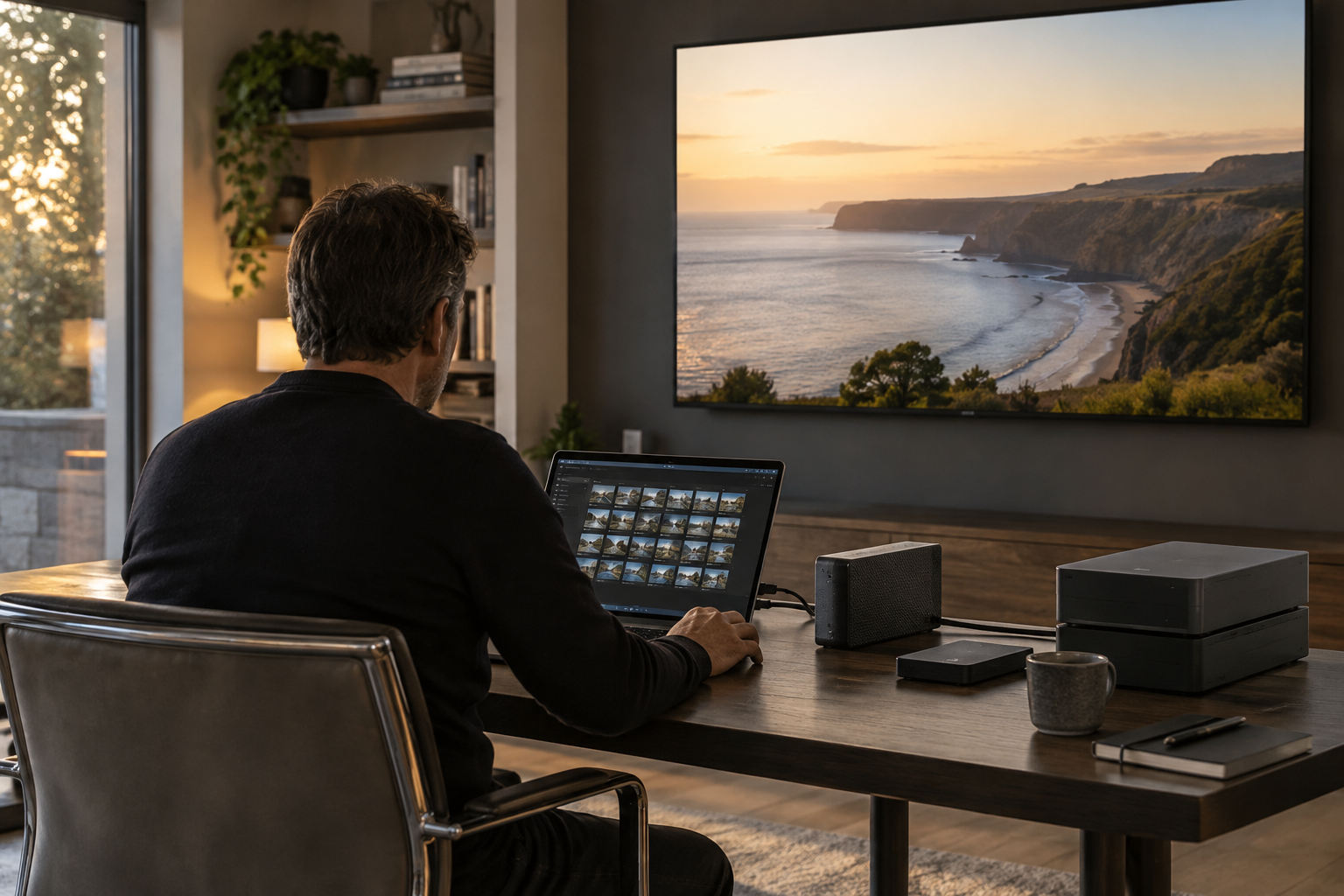
The distinction matters because a home technology brief often starts with destinations: a cinema, a sitting-room television or a display in a study. Personal photographs and films introduce a different starting point. Before selecting the display or control interface, the project team should establish which collection will be shown, who controls it and which copy is considered authoritative.
Photos, Drive and YouTube should not simply become interchangeable entries labelled Google on a handover document. Their stated purposes differ, and common corporate ownership does not establish a shared retention policy, access arrangement or integration method. Each proposed use needs checking against the relevant service and the actual equipment being specified.
A useful residential brief therefore separates three jobs: keeping the original material, organising a usable collection and presenting selected content to viewers. A single service may contribute to more than one job, but that should be a deliberate choice. The installation should not acquire an archive policy by accident because one viewing method was easiest to demonstrate.
The background
A family media collection is different from a subscription entertainment library. A film available through a commercial platform can potentially be obtained elsewhere; a privately recorded celebration may have no replacement. That difference changes the questions an integrator should ask about copies, access credentials and recovery, even when both types of content ultimately appear on the same screen.
Google’s portfolio crosses several layers of this arrangement. Android is an operating system, Chrome is a browser, Drive stores files and YouTube provides video sharing. An installation schedule that names only the television overlooks the software and service relationships between the owner’s material and the picture on screen.
The viewing environment also needs to distinguish public entertainment from private collections. Our examination of YouTube access in the home cinema brief addresses the broader platform question; family material adds a narrower permissions problem. A guest’s ability to use a cinema should not automatically imply permission to browse everything its owner stores online.
Cloud availability is a further consideration grounded in Google’s operating history. In 2020, service outages affected Google applications, including Drive, and were resolved within hours. Those incidents do not establish present-day reliability, but they demonstrate why an externally hosted service should not be treated as an uninterrupted extension of a local equipment rack.
For an owner planning an anniversary screening or a private presentation, a checked local playback copy can reduce dependence on a live service during that event. This is a preparation measure, not a claim that Google’s services routinely fail. The wider principles of connected-home resilience during cloud outages apply equally to personal media and everyday household functions.
What people are saying
There is no archive-specific commitment from Google in the material underpinning this assessment, nor a stated roadmap for integrating Photos and Drive into bespoke residential AV. Owners and advisers should consequently read the portfolio as a set of services to evaluate, rather than evidence of a supported, end-to-end household archive system.
For owners, the most consequential question is likely to be custody. The specification should identify who holds the original files, who maintains any additional copies and who can recover access if the usual account holder is unavailable. These are proposed responsibilities for the household, not capabilities that should be assumed from a product name.
For integrators, permission to commission playback should be distinguished from ongoing access to private content. A sensible scope can define whether the installer needs sample files, a supervised session or temporary access, rather than unrestricted credentials. Access granted during commissioning should also have an agreed end point, recorded alongside the technical handover.
Estate managers face a related distinction between personal and operational records. A household may use cloud storage for both family films and maintenance documentation, but the audiences differ. The principles behind home-office account planning are relevant here: convenience should not obscure who owns the account or which role is entitled to use it.
For interior designers and AV consultants, the implication is physical as well as administrative. If the agreed solution includes local storage or a dedicated playback device, the design needs somewhere suitable to put it, together with power, network access and maintenance clearance. Concealing equipment before deciding its function can turn a modest media requirement into an avoidable retrofit.
What happens next
There is no announced installation timetable or new Google launch date attached to this issue. The next step belongs in the project process: create a media inventory before agreeing the playback design. It should distinguish original files, edited versions and viewing copies, while identifying any material whose location or ownership remains uncertain.
Compatibility then needs a demonstration using representative household content and the proposed display chain. The test should establish whether the chosen route handles the required files, presents them acceptably and remains understandable to the intended user. An application being available on one device does not, by itself, validate the complete room experience.
Recovery deserves a separate acceptance test. If a project includes an additional copy of the archive, the responsible party should demonstrate that selected files can actually be retrieved and opened. A successful screening proves playback; it does not prove that missing or damaged material can be recovered later.
The handover should name the person responsible for reviewing access and maintaining the collection after installation. Ownership changes, staff departures and replacement devices are useful triggers for a review, rather than reasons to wait for a fault. Where the installer is expected to provide continuing archive support, that obligation should be explicitly scoped and priced.
Why this matters
For a discerning homeowner, the valuable asset is often the irreplaceable recording rather than the screen displaying it. Google’s portfolio gives project teams several routes to storing and presenting personal media, but the residential specification must still allocate custody, permissions and recovery responsibilities. Treating those as design decisions protects both the collection and the privacy of the people it records.
Questions answered
+What is the difference between Google Photos and Google Drive?
Google Photos provides photo storage, while Google Drive provides cloud file storage. For a household archive, the brief should establish which service holds which material and who is responsible for the original files.
+Does Google offer a complete home media archive system?
The information assessed here does not establish a supported, end-to-end residential archive system. Google offers relevant storage and sharing services, but a bespoke installation still needs its own custody, access and recovery plan.
+Can I show Google Photos in my home cinema?
That requires checking the proposed devices, service access and playback route. The project should demonstrate representative household content through the complete display chain rather than assume compatibility from the Google name.
+Should I keep local copies of family videos?
A checked local playback copy can reduce dependence on a live cloud service during a planned screening. It serves a different purpose from the original archive and does not, by itself, demonstrate a working recovery arrangement.
+Who should have access to a family media archive?
The household should define access by role. Owners, guests, estate staff and installers may need different permissions; commissioning playback should not automatically give an installer continuing access to private content.
+What should a home media archive handover include?
It should identify original files and viewing copies, account ownership, access permissions, recovery responsibilities and the person maintaining the collection. Any ongoing archive support expected from the installer should be explicitly scoped.
More in Latest Tech
 Latest Tech
Google Maps and Waze belong in the smart-home arrival brief
Google’s navigation businesses raise a practical question for connected estates: where should journey assistance end and permission to enter begin?
15 October 2026 · 5 min
 Latest Tech
Google Meet and the case for a dedicated home-office AV brief
Google’s remote-working history and collaboration services expose a practical distinction for prime homes: a well-equipped study is not necessarily a dependable meeting room.
15 October 2026 · 5 min
 Latest Tech
Google Alphabet ownership and smart-home accountability
Google’s corporate structure explains who controls the business, but owners need product-level commitments before relying on its services throughout a luxury home.
14 October 2026 · 5 min