Epson QS100: what a 140-inch living-room system demands
A household evaluation of Epson’s projector and EPV’s rising screen highlights the installation decisions behind convincing large-screen viewing in a shared living room.
By Oliver Pembrook · · 5 min read
Key facts
- 01The household evaluated an Epson QS100 with a 140-inch EPV DarkStar UST 3 Elevate screen.
- 02Epson rates the QS100 at 4,500 lumens for both white and colour brightness.
- 03EPV specifies 0.8 gain for DarkStar UST 3 material and requires ultra-short-throw projection from below.
- 04EPV recommends full screen extension; reduced stopping heights can introduce waves or wrinkles.
- 05The Epson QS100 household evaluation included no instrumented brightness, contrast, colour-accuracy or input-lag testing.
An October 2026 household account of the Epson QS100 laser projector paired with a 140-inch EPV DarkStar UST 3 Elevate screen offers a practical examination of projection in a shared living room. James Smith and his wife, Melissa, reported satisfying everyday viewing, but their installation also exposed details that specifications alone cannot settle: connector clearance, screen tension and the relationship between furniture and image position.
What happened
The couple used the system for television, films, sport and console gaming in a room with a large picture window and a blackout curtain. A Fire TV Stick, PlayStation 5 and Nintendo Switch supplied content, making this an assessment of ordinary family use rather than a dedicated cinema demonstration.
Their black Epson unit was the EH-QS100B, an ultra-short-throw 3LCD laser projector employing the company’s 4K PRO-UHD pixel-shifting technology. Epson specifies 4,500 lumens for both white and colour brightness and support for images up to 160 inches. Those are manufacturer ratings; the household used a 140-inch surface and supplied no measured performance results.
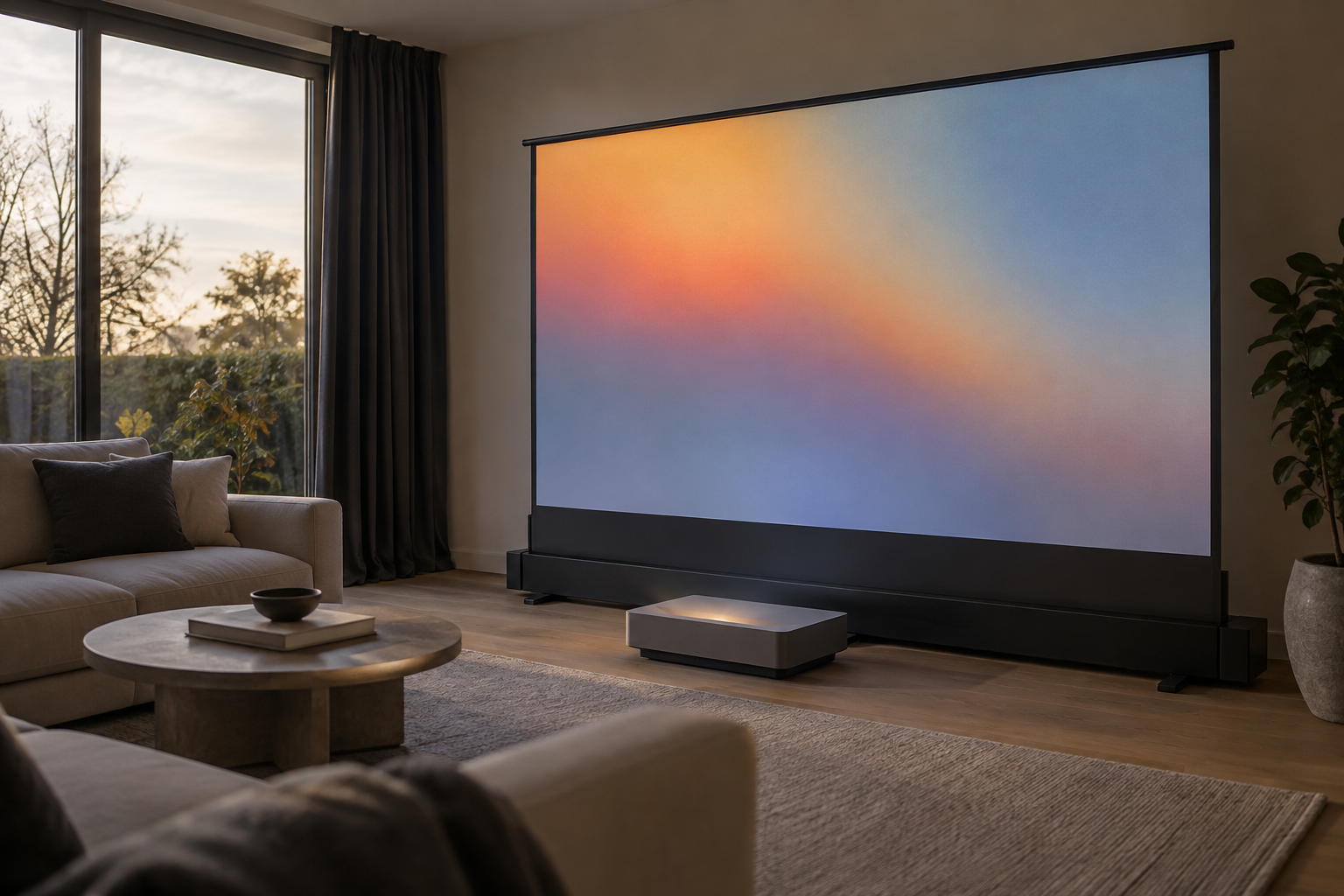
EPV’s screen was the 16:9 FRT140H2UST-DS3, a motorised, tab-tensioned model that rises from a freestanding enclosure. Its DarkStar UST 3 material has a specified gain of 0.8 and is designed to receive light from an ultra-short-throw projector positioned below it. The screen is therefore a particular optical partner, not simply a retractable white surface.
One small obstruction proved instructive: with both HDMI connections occupied, the connector bodies interfered with one another. Smith used a short extender to move one connection away from the panel. The issue was physical fit, rather than a reported failure of the projector to handle a source.
Smith estimated that fitting the projected image to the screen took approximately 20 minutes, helped by the setup instructions. That figure covers his image adjustment, not the placement, cable routing, control programming or verification involved in a completed professional installation.
The background
Ultra-short-throw projection changes where equipment can sit, but does not remove the need for precise geometry. With the projector close to the screen, the supporting furniture becomes part of the optical installation. Cabinet height and depth must accommodate both the projector’s required position and the rising screen’s enclosure before aesthetic decisions are finalised.
A retractable screen also changes the architectural proposition. Owners need not retain a permanently visible 140-inch display surface when the system is idle, although the enclosure and projector still require space. For a reception room used for entertaining as well as viewing, that distinction can matter more than the maximum image size on a specification sheet.
EPV’s installation guidance makes the screen’s operating height consequential. The company recommends full extension to preserve tab tension and warns that programming a lower stopping position can produce waves or wrinkles. A convenient image height is not automatically an acceptable working height; the installer needs to inspect the actual surface at the proposed setting.
The enclosure also needs an even, level supporting surface. Smith and Melissa placed theirs on a stand, but that arrangement should not be treated as a universal furniture specification. Supporting dimensions, stability and the clearance needed during deployment must be checked against the manufacturer’s drawings for each room.
Light direction is another constraint. EPV explicitly excludes overhead projection for this material, which is intended for illumination from below. An owner cannot assume that a later change to a ceiling-mounted projector will preserve compatibility with the same screen, even if the proposed replacement can produce the required image size.
Audio deserves a place in the room plan rather than being added after the screen position is fixed. The household reported straightforward sound-system connection but provided no detailed audio evaluation. As with choosing speakers around room size and placement, the useful starting point is the available space and listening arrangement, not an isolated equipment specification.
What people are saying
Smith’s picture-quality reference was a Samsung plasma television, particularly its handling of black levels. He was pleased with dark scenes on the projection system and found the picture sharp across the household’s varied content. His concern that enlarging the image so substantially might reveal an objectionably grainy picture was not borne out in their use.
He also reported that colours remained readily visible during daytime viewing and perceived little difference between having the blackout curtain open and closed. That is encouraging testimony about one room, but the account supplies neither ambient-light readings nor instrumented contrast measurements. It cannot establish how the combination would behave beside a differently oriented window.
For prospective owners, the distinction is between a useful lived experience and a comparative test. No measured brightness, colour accuracy or input lag was documented, and professional calibration was not reported. Playing Fortnite and Madden demonstrates that gaming formed part of the routine; it does not establish latency performance for a demanding player.
The screen’s behaviour reassured the couple after its extended height initially raised questions about stability. Smith reported little movement even with windows open on a windy day. That observation supports confidence in their particular setup, without replacing checks of the base, supporting furniture and deployed surface elsewhere.
An integrator is likely to read the account as evidence for testing a complete room arrangement rather than selling the projector alone. The broader discipline of coordinating technology within luxury homes is relevant here: the furniture, window treatment, connections and operating sequence all influence whether a large image remains convenient in daily use.
What happens next
This evaluation contains no announcement of a successor product, firmware release or launch timetable. For a homeowner considering the pairing, the next useful step is a demonstration under comparable lighting, using the intended screen size and familiar content. Evening film viewing alone would not answer questions about afternoon sport beside a large window.
Control integration remains an untested part of the household account. Epson lists Crestron, Control4 and PJLink support, while EPV documents IR, RF and trigger options. An installer should confirm the required interfaces and operating sequence before promising that screen deployment, projector startup and source selection will behave as one coordinated action.
Connection checks should use the actual streaming device, cables and adapters proposed for the installation. The successful extender in this household establishes a possible clearance remedy, not blanket compatibility for every signal path. Any additional connection needs verification with the intended video and audio functions before equipment placement is signed off.
Handover should address the settings the owners will actually change. Smith found it easy to switch picture modes for films, sport and games; a professional installation should make those choices understandable alongside source selection, screen operation and care. Documenting the agreed projector position also helps avoid accidental furniture adjustments disturbing alignment.
Why this matters
For owners seeking a substantial image without a permanently exposed screen, the Epson QS100 and EPV combination merits a properly staged demonstration. The purchasing decision should turn on whether the complete assembly fits the room’s daylight, furniture and routines—not simply whether 140 inches is attainable. The strongest evidence here concerns practical usability; claims about reference picture quality or gaming performance still require testing.
Questions answered
+Is the Epson QS100 a native 4K projector?
The Epson QS100 uses 3LCD technology with Epson’s 4K PRO-UHD pixel shifting. It should be described as a pixel-shifting projector rather than a native 4K model.
+How bright is the Epson QS100?
Epson specifies 4,500 lumens for both white and colour brightness. The household evaluation did not include instrumented brightness testing.
+What screen size does the Epson QS100 support?
Epson specifies support for images up to 160 inches. James Smith and Melissa used a 140-inch EPV DarkStar UST 3 Elevate screen in their living room.
+Does the Epson QS100 work in daylight?
Smith reported readily visible colours during daytime viewing with the EPV screen. His observations apply to one living room and were not supported by ambient-light or contrast measurements.
+Can the EPV DarkStar UST 3 screen work with a ceiling projector?
EPV’s guidance excludes overhead projection for this surface. DarkStar UST 3 material is designed for an ultra-short-throw projector positioned below the screen.
+Can you set the EPV Elevate screen to a lower height?
The screen allows a programmed stopping position, but EPV recommends full extension to maintain tab tension. Its guidance warns that reduced heights can introduce waves or wrinkles.
+Does the Epson QS100 support Control4 and Crestron?
Epson lists support for Control4, Crestron and PJLink. The household account did not include testing of control-system integration or synchronised screen deployment.
More in Cool Stuff
 Latest Tech
Lumene Coliseum Silent screens add smarter cinema control
Due in the UK in November, Lumene’s motorised screen range combines revised movement control with five materials for dedicated cinemas and shared living spaces.
7 October 2026 · 5 min
 Cool Stuff
PMC Prophecy speakers put room size before cabinet size
PMC’s replacement for its Twenty 5i range highlights why bass loading, listening distance and placement deserve as much attention as a loudspeaker’s dimensions.
7 October 2026 · 5 min
 Awards
Yacht Intelligence wins Crestron marine award for Valor
The Feadship project takes the above-60-metre installation award, recognising an approach to onboard AV, control and IT centred on discreet operation.
7 October 2026 · 5 min